







Logo
Install SafeTF

See Your Terraform Changes Before They Become Incidents

SafeTF turns raw Terraform plan output into a clear, review-ready view inside Azure DevOps. Spot risky changes in seconds, block what shouldn’t ship, and approve the rest with confidence - without leaving your pipeline.

Install SafeTF
Logo Logo Logo

What SafeTF Adds to Your Terraform Pipeline

Explore the key features that turn raw Terraform plans into clear, reviewable, and approvable changes inside Azure DevOps.

Logo

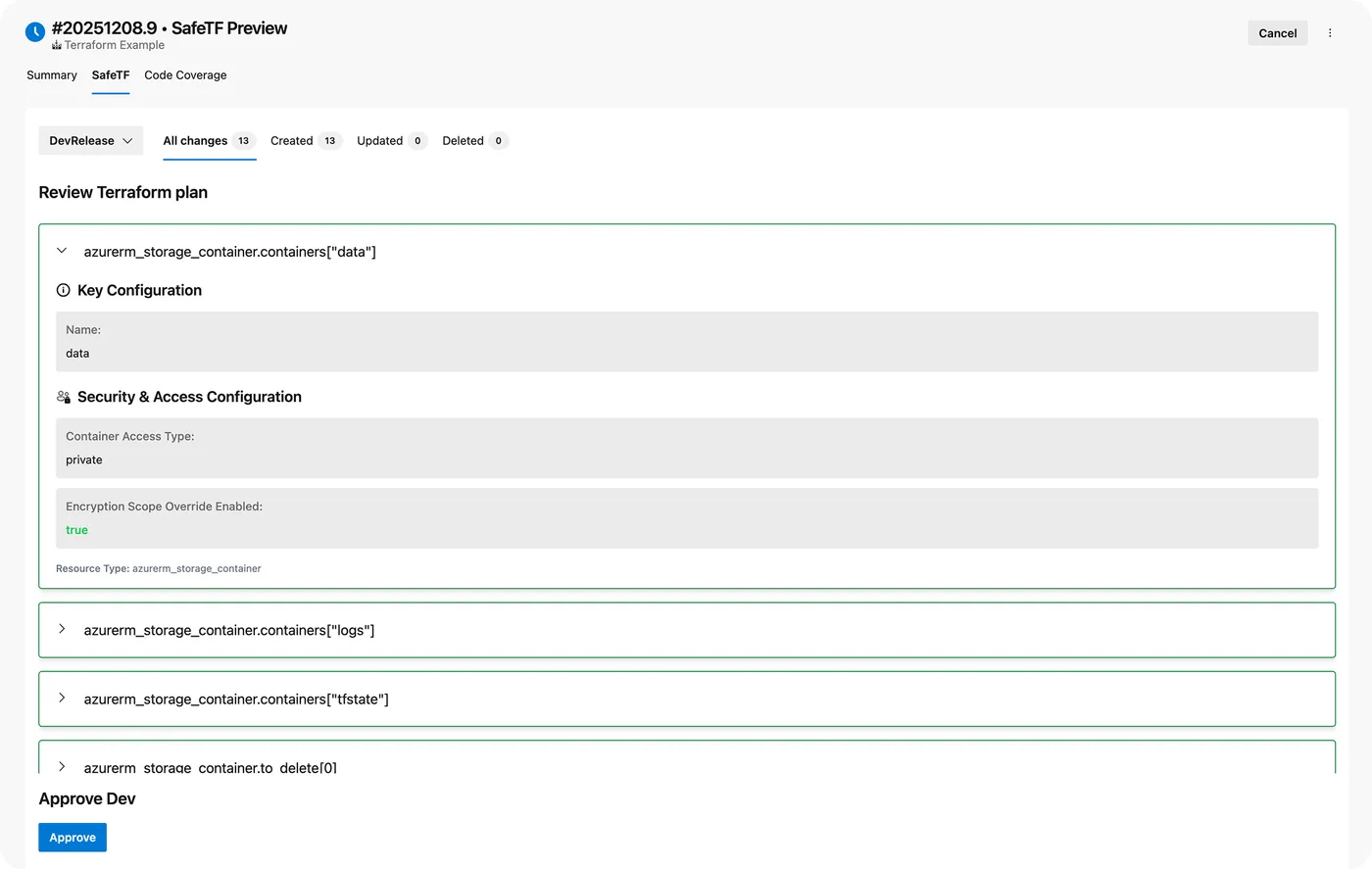
Turn Raw Plans Into Clear, Scannable Views

Read the entire Terraform plan in a structured UI inside your Azure DevOps pipeline run, instead of digging through noisy logs.

Logo

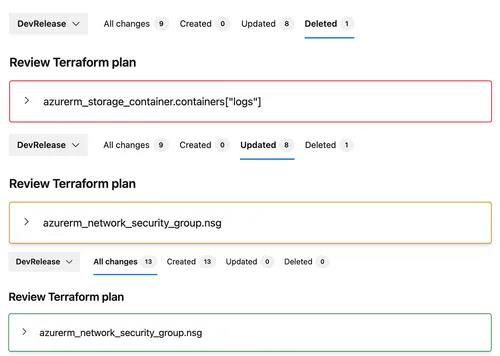
Instantly See What’s Being Created, Updated, or Deleted

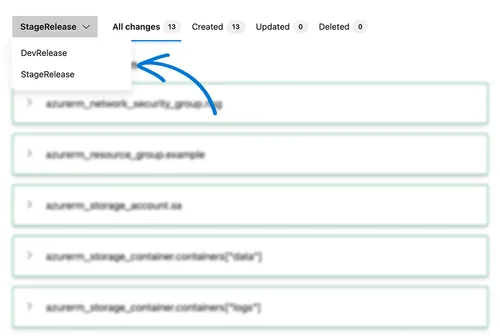
Filter by all, created, updated, or deleted resources so you know exactly what this deployment will do in a single glance.

Logo

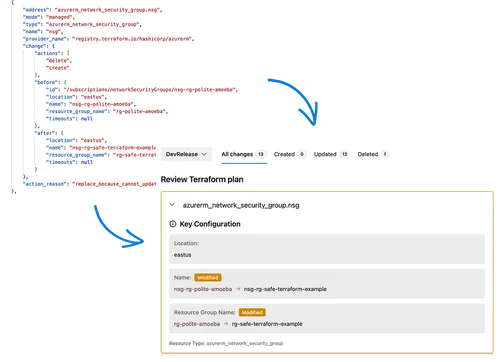
Review Before/After Diffs at the Resource Level

Open any resource to see a precise before/after diff of changed attributes, with highlighted changes for faster, more accurate review.

Logo

Approve Changes Without Leaving the Pipeline

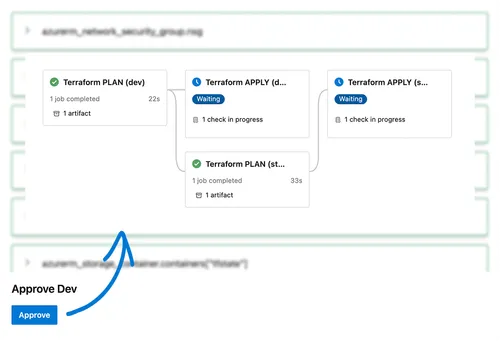
Review the impact and approve the next stage directly from the SafeTF tab — no context switching, extra tools, or side channels.

Logo

Drop-In YAML Jobs for Terraform Stages

Use ready-made tasks for install, init, plan, and apply so teams can add SafeTF to existing pipelines with copy–paste configuration.

Logo

Use the Same Review Flow Across All Clouds

Apply one consistent review experience for Azure, AWS, GCP, OCI, and any Terraform provider, instead of juggling different tools.

What You Gain With SafeTF

The concrete outcomes of using SafeTF: faster reviews, fewer production surprises, and tighter control over every Terraform change.

Logo

Faster plan reviews

Reviewers see a clean, structured Terraform plan right inside the pipeline, so they can understand the impact and approve in minutes instead of digging through logs for hours.

Logo

Fewer production surprises

Grouping by created/updated/deleted and resource-level diffs makes risky changes obvious - like deletions, drift, or major config shifts - before they ever reach production.

Logo

Stronger change control

Approvals are tied directly to the exact Terraform plan that will run, giving approvers full visibility, a clear audit trail, and a review flow that supports compliance instead of fighting it.

Logo

Consistent workflow across environments

The same UI and rules for dev, test, stage, and prod mean one predictable process for everyone, fewer environment-specific hacks, and less chance of something “slipping through” on the way to prod.

Integrate SafeTF Into Your Pipeline in Minutes

Follow this step-by-step guide to install the extension, add the YAML tasks, and start reviewing Terraform plans visually inside Azure DevOps. For the full integration walkthrough, check our documentation below.

Full Integration Documentation

01

Install the SafeTF extension from Azure DevOps Marketplace.

03

Run your pipeline and review the visual Terraform plan in the SafeTF tab on the build.

02

Drop our predefined SafeTFTask@1 snippets into your pipeline YAML.

Common questions with Clear answers

Here are answers to the most common things people ask before getting started.

What is SafeTF?

SafeTF is an Azure DevOps extension that turns raw Terraform plan output into a visual, reviewable view inside your pipeline. It helps teams understand, review, and approve Terraform changes before they reach production.

How does SafeTF work with Terraform in Azure DevOps?

SafeTF is added as a YAML task in your pipeline. It runs Terraform commands (install, init, plan, apply), captures the plan output, and renders it in a dedicated SafeTF tab on the pipeline run so reviewers can see changes by resource and change type.

Why use SafeTF instead of reading Terraform plan logs?

Terraform logs are long, noisy, and easy to misread. SafeTF groups changes (created/updated/deleted), shows resource-level diffs, and highlights risky changes so reviewers can make clear go/no-go decisions much faster and with less risk.

Does SafeTF support multiple clouds (Azure, AWS, GCP)?

Yes. SafeTF works with any Terraform provider. You can use the same review and approval workflow for Azure, AWS, GCP, OCI, and other clouds as long as your Terraform code runs in the pipeline.

How do I install SafeTF in my Azure DevOps organization?

You install SafeTF from the Azure DevOps Marketplace to your organization. After installation, the SafeTF task becomes available in YAML pipelines and a SafeTF tab appears on supported pipeline runs.

How do I add SafeTF to my YAML pipeline?

You add SafeTF as one or more tasks in the stage where you run Terraform. Typical usage includes tasks for terraform install, terraform init, and terraform plan. The plan output is then available for review in the SafeTF tab of that pipeline run.

Can I use SafeTF with my existing Terraform pipelines?

Yes. In most cases you only need to replace or wrap your existing Terraform steps with the SafeTF task definitions. Your backend configuration, environment variables, and workspace setup can remain as they are.